In this easy drawing tutorial, you will learn how to draw PS4 controller step by step.
We will build the shape slowly, starting with the outer handles and finishing with small button details.
This drawing for beginners uses simple curves, circles, and rounded rectangles.
What You Will Need
- Paper
- Pencil
- Eraser
- Black marker or pen
- Colored pencils or crayons
Here are my RECOMMENDED Art Supplies!
- Crayola Coloring Set (140 Pieces – Mega Value!)
- 24 Colored Crayon Set
- A4 Printer Paper
- Crayola Coloring Pencils
- HP Home Printer with Instant Ink!
Time needed:
13 minutes.
Step-by-Step Drawing Guide
Step 1: Draw the Left Outer Outline
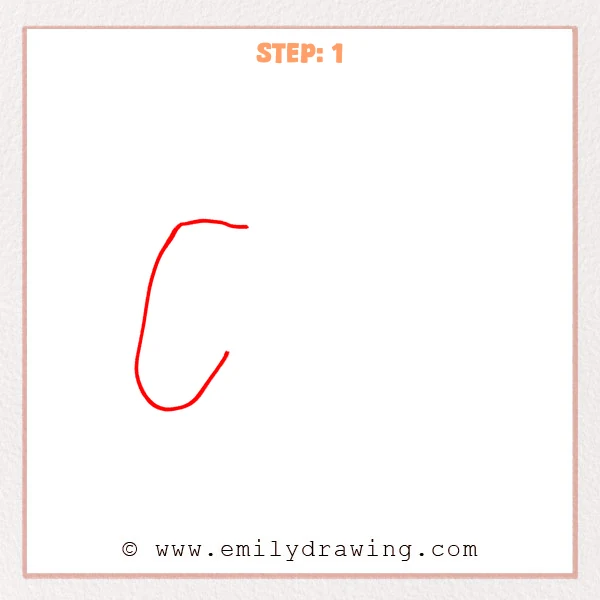
Start near the upper left and draw a long curve downward.
Round the bottom into a soft handle shape, then bring the line gently upward to the right.
Keep the top fairly flat as the starting edge of the PS4 controller.
Pro Tip: Keep the bottom handle rounded so the controller looks comfortable and natural.
Step 2: Draw the Right Outer Outline
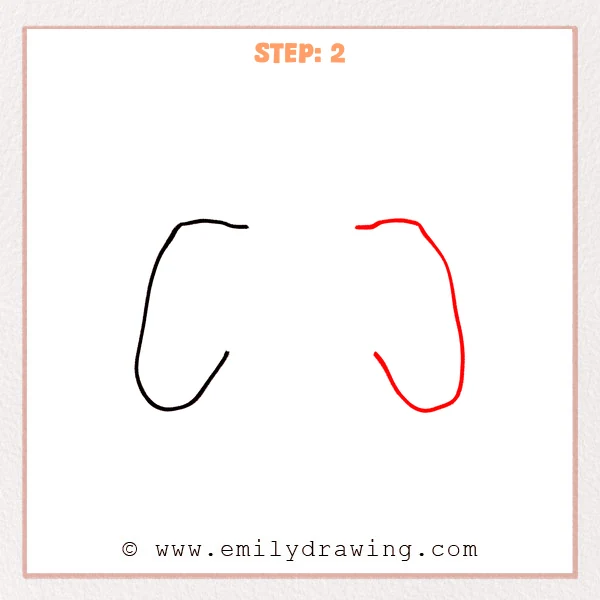
Draw a matching top curve on the upper right, keeping it close in height to the left side.
Continue downward to form the right handle, rounding the bottom before curving back upward.
Leave the center open for now so the PS4 controller body can be connected later.
Pro Tip: Keep both handles close in size so the controller looks balanced.
Step 3: Connect the Top Center Area
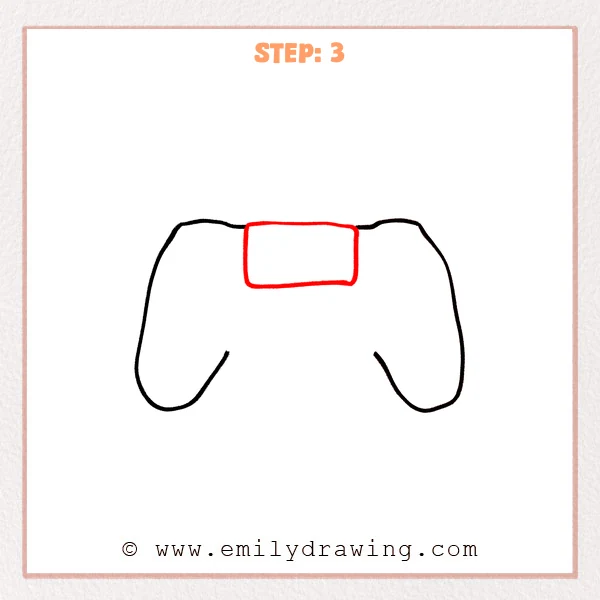
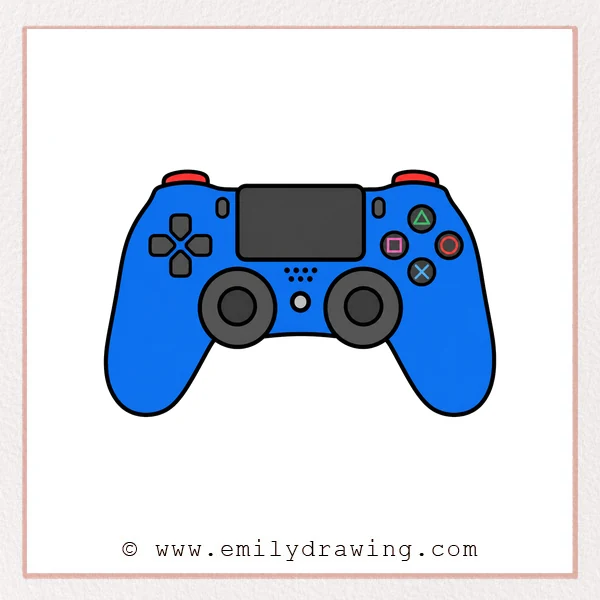
Draw a wide, flat rounded rectangle between the left and right outlines.
Let its top edge sit close to the controller’s upper edge, with smooth rounded sides.
This shape becomes the touchpad area of the PS4 controller.
Pro Tip: Place the touchpad in the center so both sides feel more symmetrical.
Step 4: Add the Two Analog Sticks
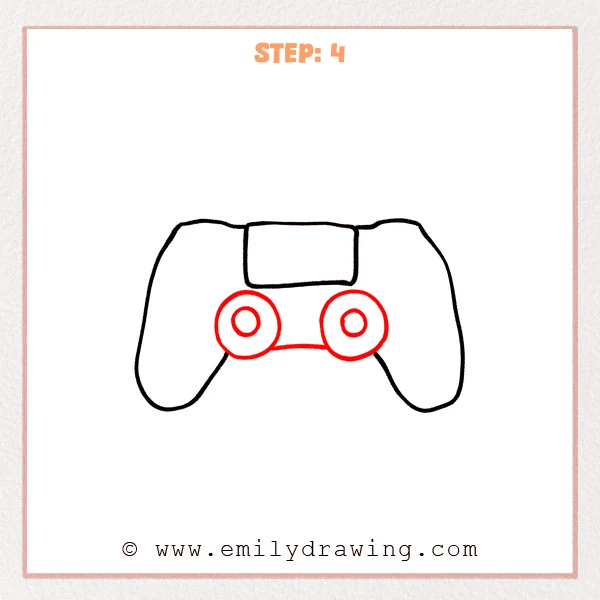
Draw two large circles below the touchpad, one on each side.
Add a smaller circle inside each large circle to form the PS4 controller analog sticks.
Connect the lower edges of the large circles with a gentle curve to complete the center structure.
Pro Tip: Keep both analog sticks at the same height so the drawing looks tidy.
Step 5: Add the D-Pad and Center Details
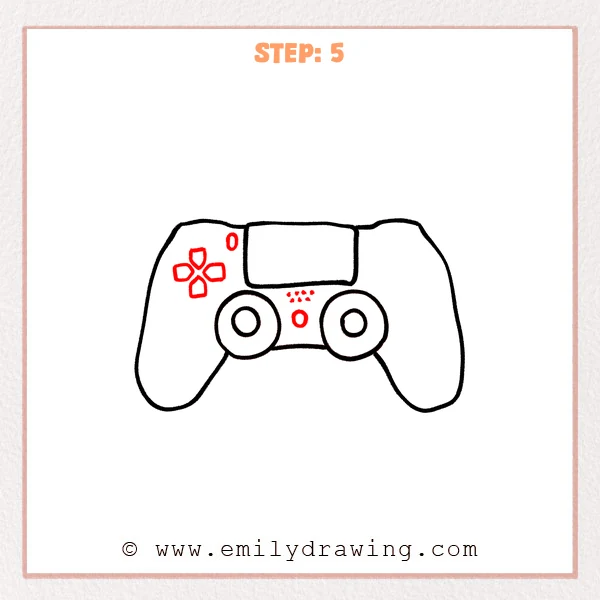
Draw four small rounded blocks on the upper left to make the PS4 controller D-pad.
Add a small oval button above and to the right of the D-pad.
Between the two analog sticks, add a small round button and rows of tiny dots for the center details.
Pro Tip: Keep the tiny dots small so the controller details look neat and delicate.
Step 6: Add the Right Buttons and Shoulder Edges
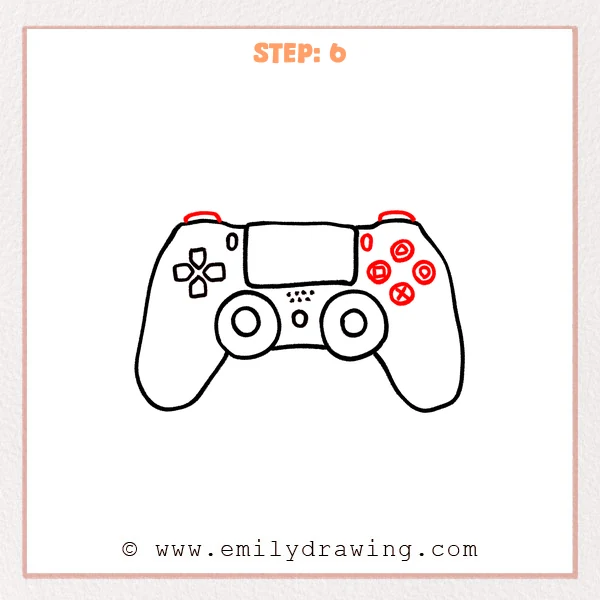
Draw four small round buttons on the upper right, then add triangle, circle, cross, and square symbols.
Add a short curved line on each top side to show the PS4 controller shoulder edges.
Place one small oval button beside the touchpad so the side details feel complete.
Pro Tip: Arrange the four buttons in a diamond shape so their placement feels closer to a real controller.
Step 7: Color in your drawing!
Fun Facts
- The PS4 controller is also called the DualShock 4.
- Its touchpad sits in the center and can be used like an extra button.
- The triangle, circle, cross, and square buttons are some of its most recognizable features.
Pin it now, Draw later!
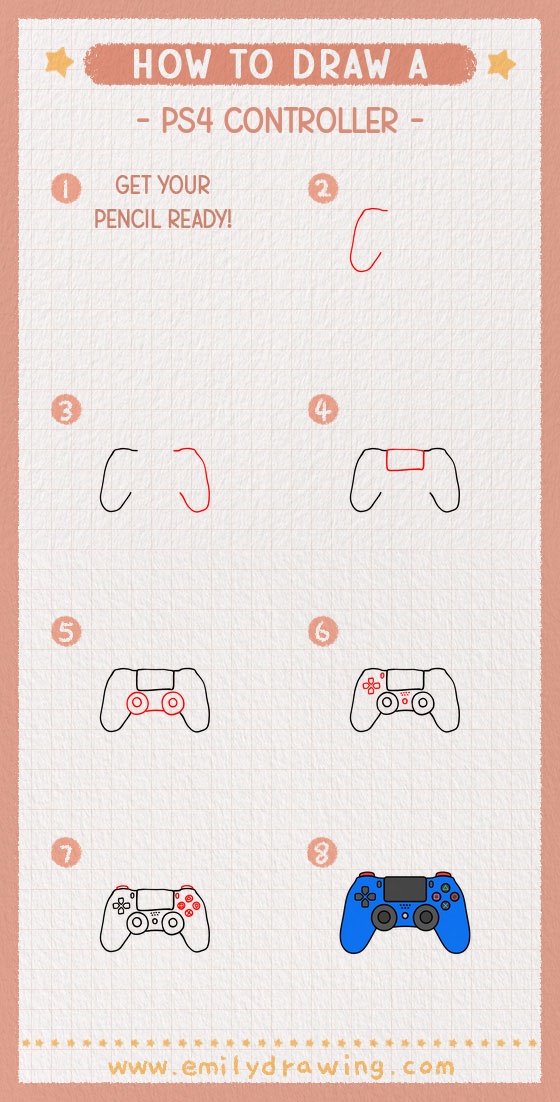
Now you know how to draw PS4 controller using simple beginner-friendly steps.
Trace your best lines with a marker, then erase any extra pencil marks.
You can color the controller black, white, blue, red, or design your own game-themed version.
Keep practicing this step by step drawing, and try drawing it again with cleaner symmetry.
Get the FREE Printable Drawing Guide
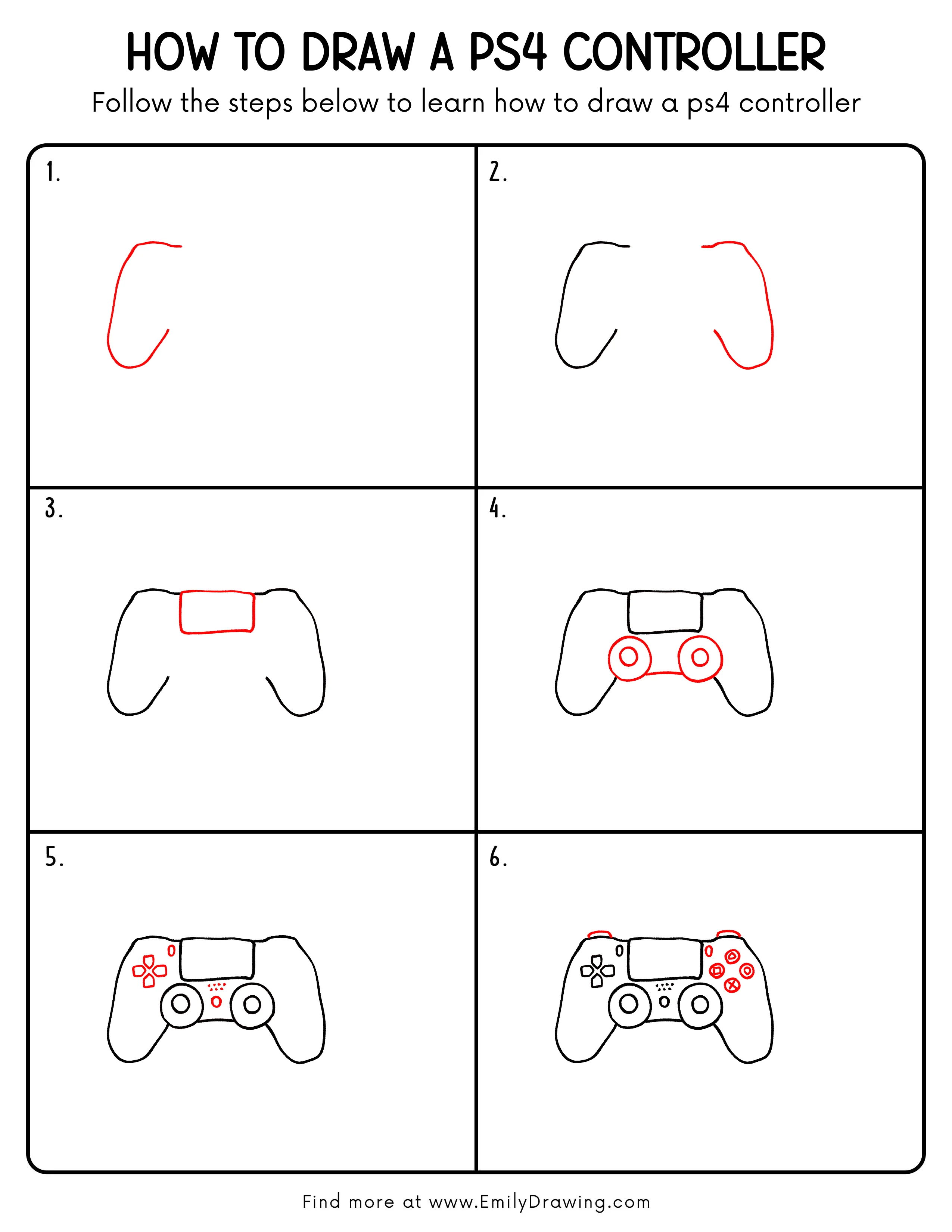
FREE Download Printable Ps4 Controller Drawing Tutorial
Frequently Asked Questions
Is this PS4 controller drawing good for beginners?
Yes, this drawing for beginners uses basic shapes like circles, curves, ovals, and rounded rectangles.
How can I make my PS4 controller drawing look more realistic?
Take your time with symmetry, keep both handles similar, and place the buttons evenly.
Can I color the controller in a different style?
Yes, you can use any color combination to make your PS4 controller look personal and creative.