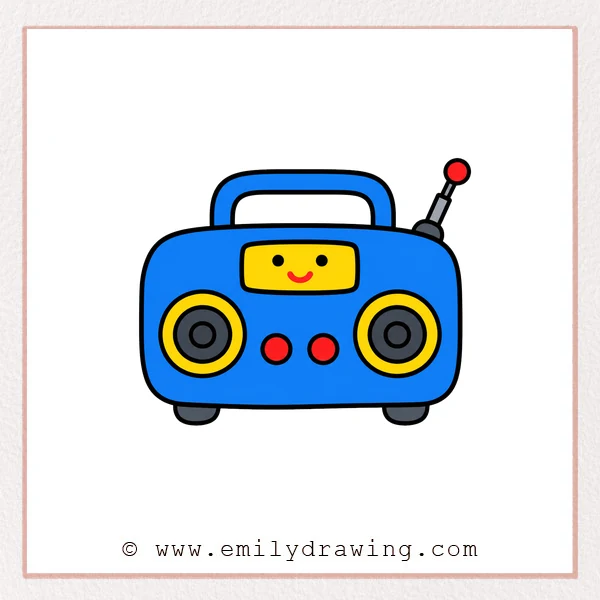
In this easy drawing tutorial, you will learn how to draw radio with a cute face. This step by step drawing is simple for beginners because it uses rounded rectangles, circles, and curved lines. Take your time, and keep each shape soft and friendly.
What You Will Need
- Pencil
- Eraser
- Black marker
- Red pencil or marker
- Drawing paper
Here are my RECOMMENDED Art Supplies!
- Crayola Coloring Set (140 Pieces – Mega Value!)
- 24 Colored Crayon Set
- A4 Printer Paper
- Crayola Coloring Pencils
- HP Home Printer with Instant Ink!
Time needed:
24 minutes.
Step-by-Step Drawing Guide
Step 1: Draw the Radio Top Outline
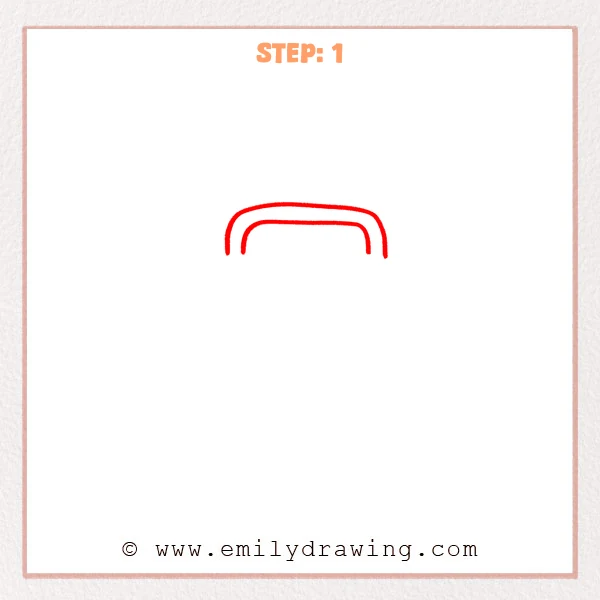
Start with a wide rounded rectangle shape for the upper handle area. Add a smaller matching curved line inside it for the radio’s front panel edge. Keep both lines open at the bottom for now.
Pro Tip: Keep the two curved lines parallel so the radio looks neat and balanced.
Step 2: Draw the Radio Body
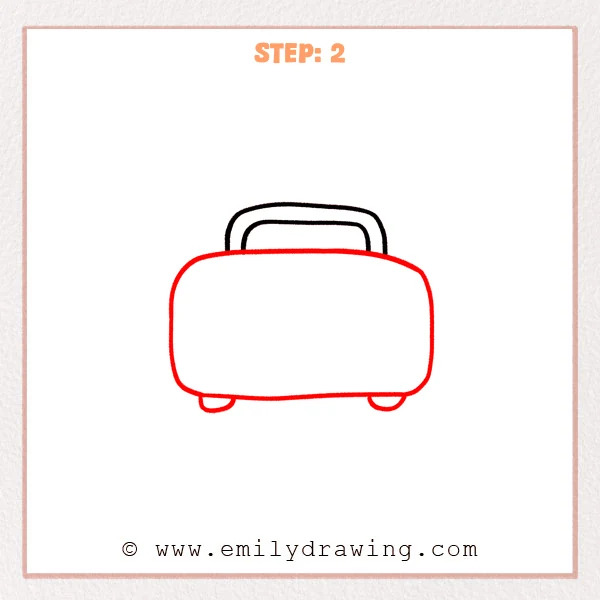
Under the top handle, draw a large rounded rectangle for the main radio body. Add one small rounded foot on each lower side so the body stands steady. Make the corners soft to keep the design gentle.
Pro Tip: Make the body much wider than the handle so the radio has a cute proportion.
Step 3: Add the Knob and Display Window
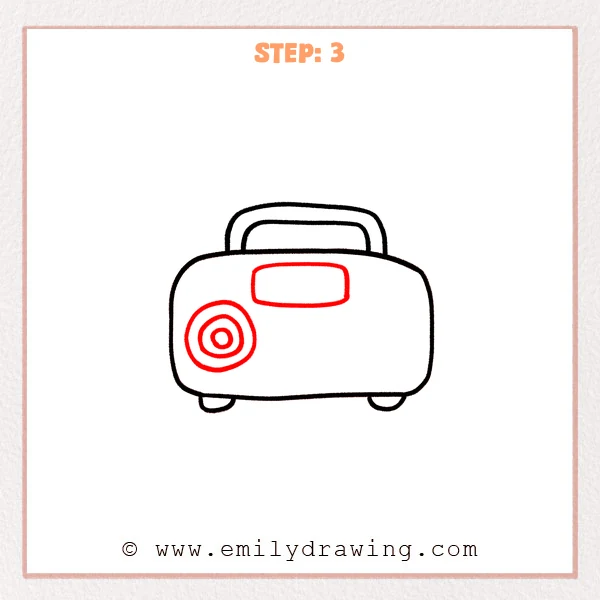
On the left side of the body, draw three concentric circles for the radio knob. Near the upper middle, add a small rounded rectangle for the display window. Keep the display window centered above the lower controls area.
Pro Tip: Keep the circles centered together so the knob looks smooth and steady.
Step 4: Add the Right Speaker
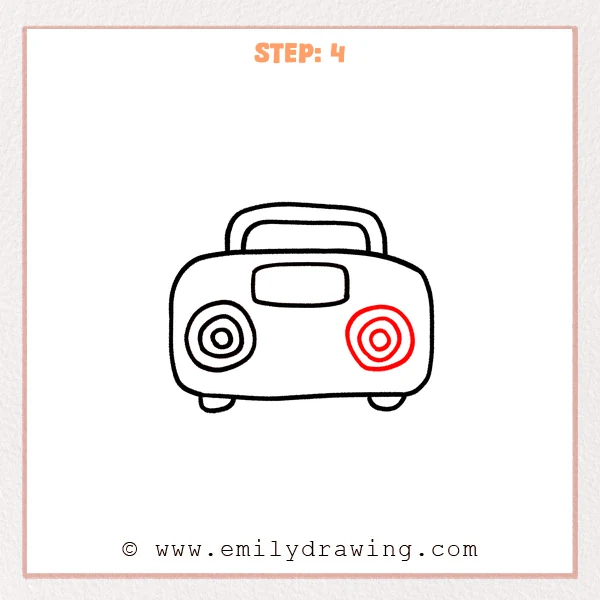
On the right side of the body, draw three concentric circles for the second speaker area. Place it roughly level with the left knob so the radio feels balanced. Leave open space between the two circular areas for small controls later.
Pro Tip: Make the right circles slightly smaller than the left ones to add gentle variety.
Step 5: Add the Antenna and Small Buttons
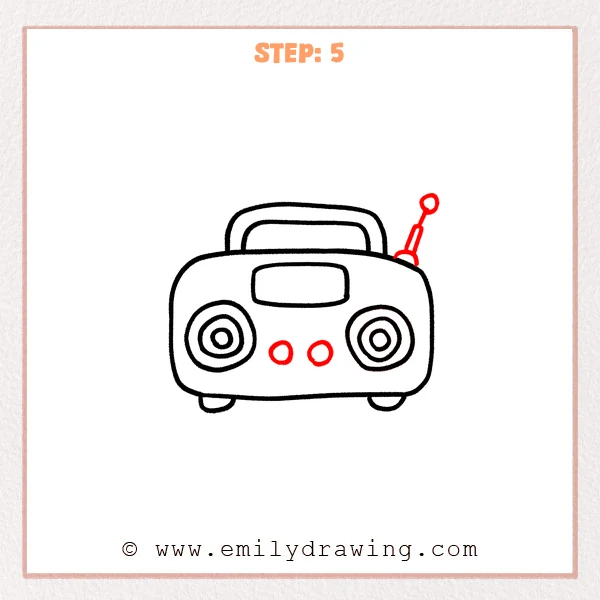
On the upper right side of the radio, draw a slanted antenna with a small circle at the tip. Near the lower middle of the body, add two small round buttons for controls. These details help the radio look playful and complete.
Pro Tip: Tilt the antenna slightly outward so the shape feels lively but still stable.
Step 6: Draw the Display Window Face
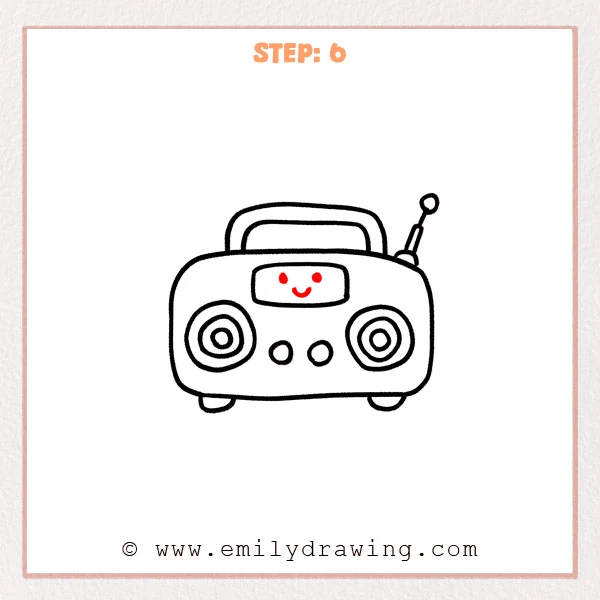
Inside the display window, add two small dots for cute eyes. Under the eyes, draw an upward curved line to give the radio a smile. This final detail turns the radio into a cheerful character.
Pro Tip: Place the face in the center of the display window so the radio looks friendly.
Step 7: Color in your drawing!
Fun Facts
- Radios can send sound through invisible waves called radio waves.
- Many old radios had large knobs for tuning to different stations.
- A simple radio shape is great drawing for beginners because it uses easy circles and rounded rectangles.
Pin it now, Draw later!
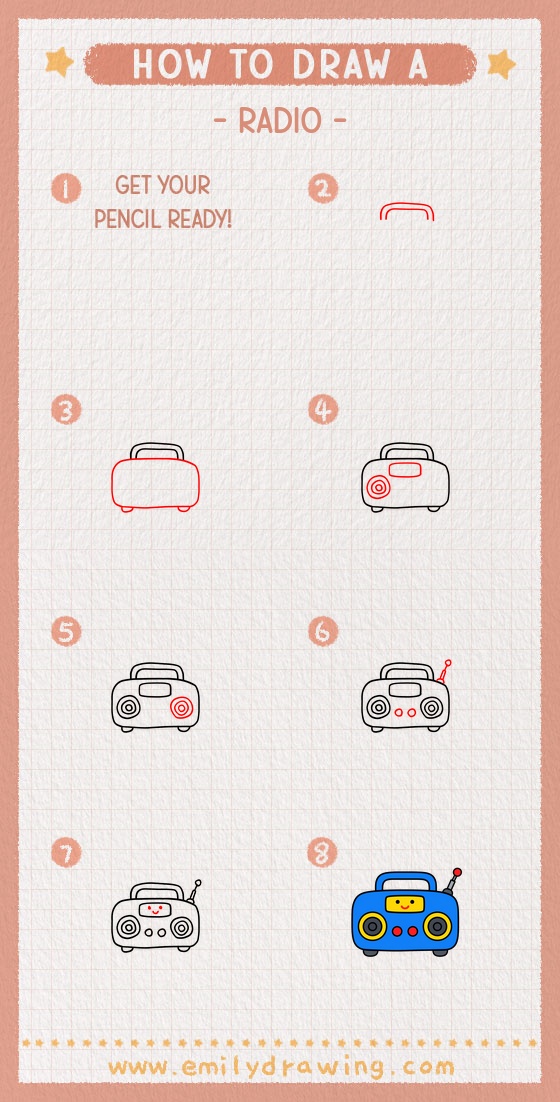
Trace the finished radio with a black marker when you like the pencil lines. You can color the body, buttons, speakers, and antenna in bright colors. Try adding music notes around it to make your radio drawing feel lively.
Now you know how to draw radio using simple shapes and clear steps. Keep practicing this easy drawing tutorial, and try creating your own radio design next.
Get the FREE Printable Drawing Guide
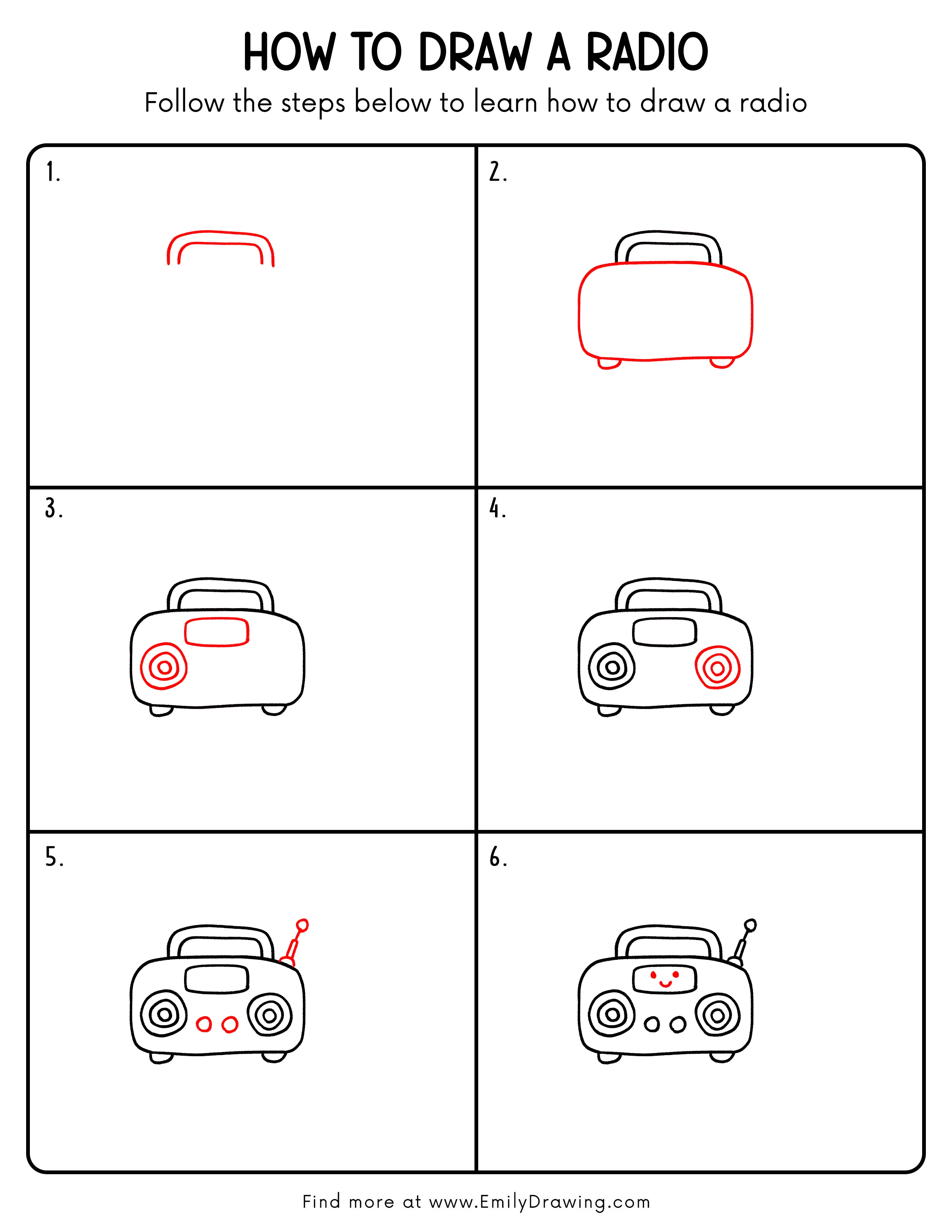
FREE Download Printable Radio Drawing Tutorial
Frequently Asked Questions
Is this radio drawing good for beginners?
Yes, this radio is a good drawing for beginners because it uses simple rounded shapes and circles.
Can I change the face on the radio?
Yes, you can draw a sleepy, excited, or surprised face inside the display window.
What colors work well for a cute radio?
Bright colors like red, yellow, blue, or green work well for a cheerful radio drawing.