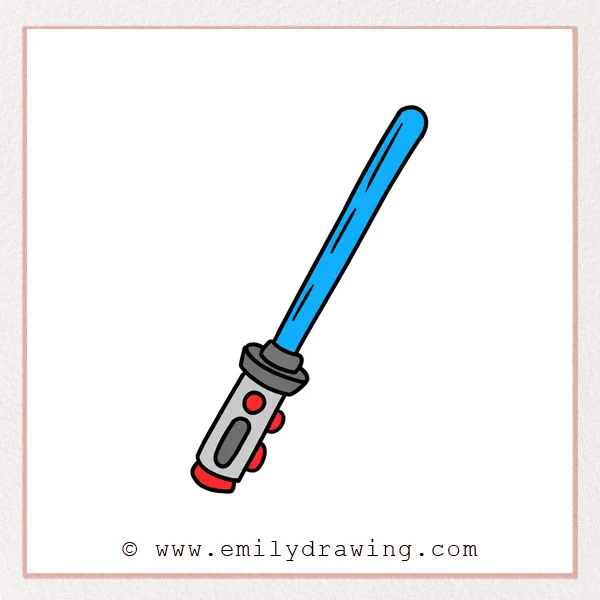
Want to learn how to draw a lightsaber in a simple and fun way? This easy drawing tutorial breaks the process into clear steps, so beginners can follow along with confidence. Take your time with each stage, and you will build a clean lightsaber drawing from one guiding line to a finished design.
What You Will Need
- Drawing paper
- Pencil
- Eraser
- Black pen or marker
- Red colored pencil, marker, or crayon
Here are my RECOMMENDED Art Supplies!
- Crayola Coloring Set (140 Pieces – Mega Value!)
- 24 Colored Crayon Set
- A4 Printer Paper
- Crayola Coloring Pencils
- HP Home Printer with Instant Ink!
Time needed:
13 minutes.
Step-by-Step Drawing Guide
Step 1: Draw the Center Slanted Line
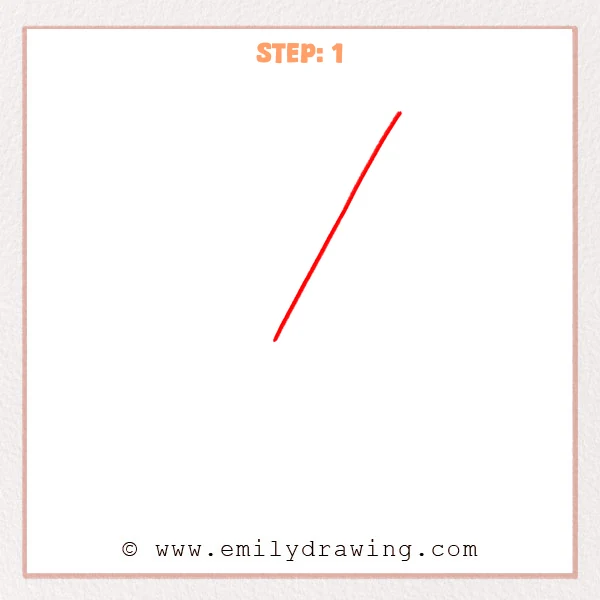
Start with one long straight line slanting from the lower left to the upper right. Keep the stroke smooth and confident, because this line sets the main direction of the lightsaber blade.
Pro Tip: A slight diagonal angle helps the lightsaber feel more active and dynamic.
Step 2: Widen the Lightsaber Blade
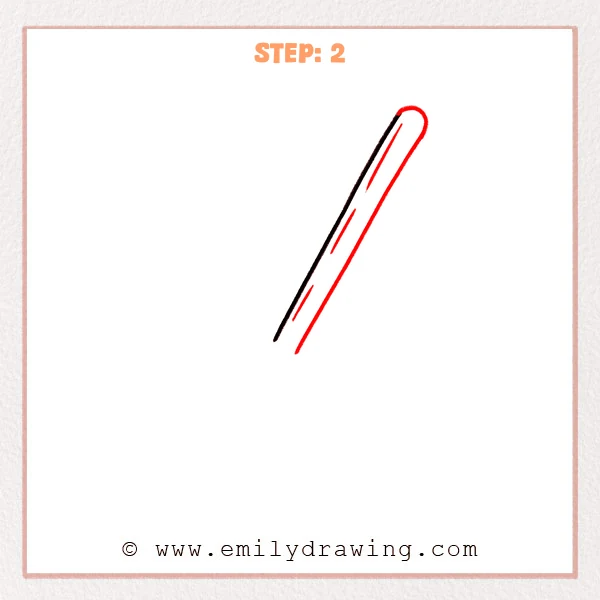
Add a second parallel line beside the first slanted line to create the blade width. Round the top with a curved line, then place a few short slanted marks inside the blade to suggest glowing highlights.
Pro Tip: Try to keep the blade width even so the lightsaber looks neat and balanced.
Step 3: Add the Lightsaber Guard
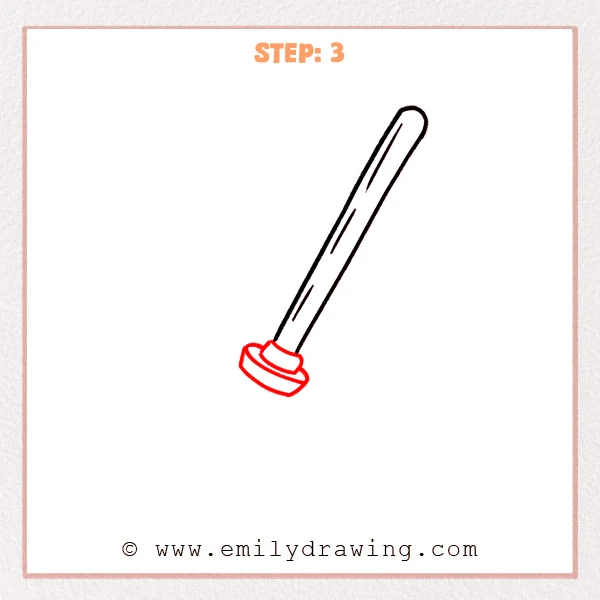
Draw a small cylinder at the base of the blade to separate it from the handle area. Then add a wide, flattened ring underneath to begin the lower structure of the lightsaber.
Pro Tip: Tilt the oval curves with the blade angle so the whole lightsaber feels connected.
Step 4: Draw the Handle Shape
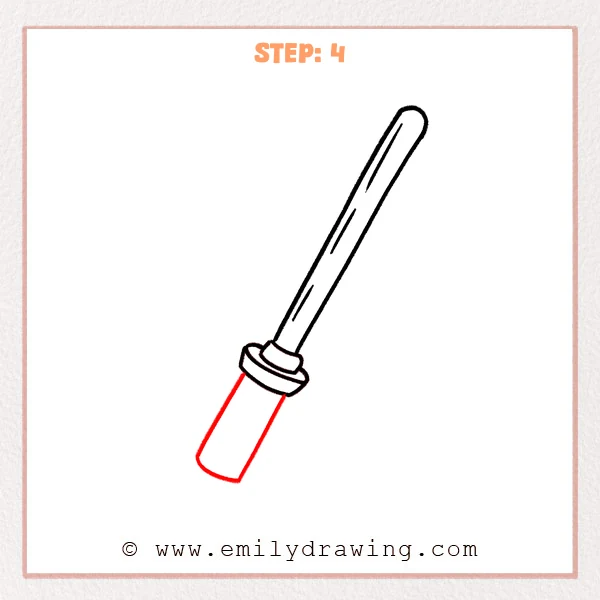
Add a long rectangular handle extending down from the guard. Round the bottom edge slightly so the handle looks solid and smooth rather than completely flat.
Pro Tip: Keep both sides of the handle tilted with the blade so the whole lightsaber stays aligned.
Step 5: Add the Handle Buttons
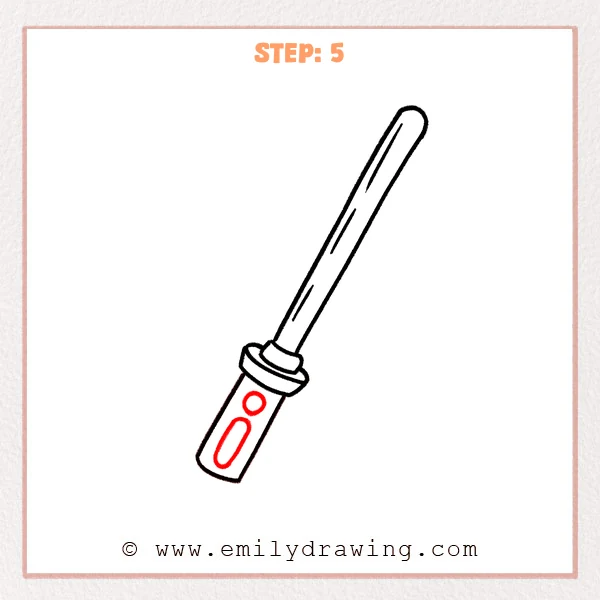
Draw a small round button inside the handle, then add a vertical rounded rectangle below it. These details make the handle look more like a control panel and give the lightsaber a more finished design.
Pro Tip: Place the buttons near the center of the handle, leaving space around the edges for clarity.
Step 6: Finish the Handle End Details
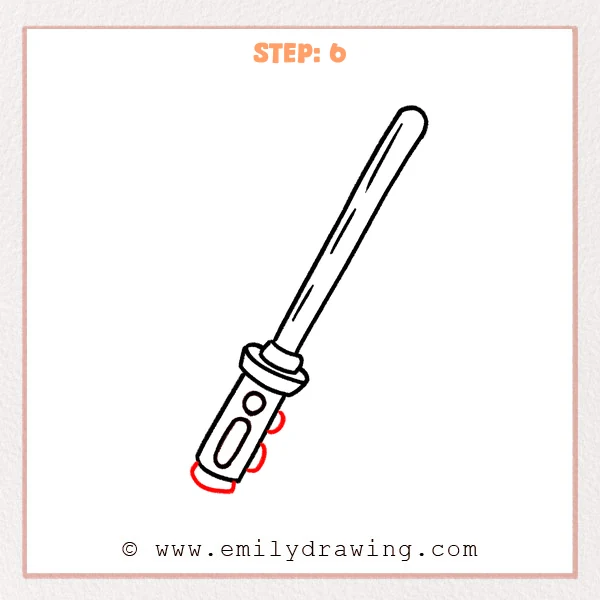
Add two small curved details along the side of the handle to make it look more mechanical. Then draw a curved cap at the bottom to complete the outer structure of the lightsaber handle.
Pro Tip: Keep the side curves small so they look like subtle parts peeking out.
Step 7: Color in your drawing!
Fun Facts
- A lightsaber is a famous science fiction weapon known for its glowing blade.
- Many lightsaber designs have different handle shapes and button layouts.
- Drawing simple objects like this is a great way to practice clean lines and symmetry.
Pin it now, Draw later!
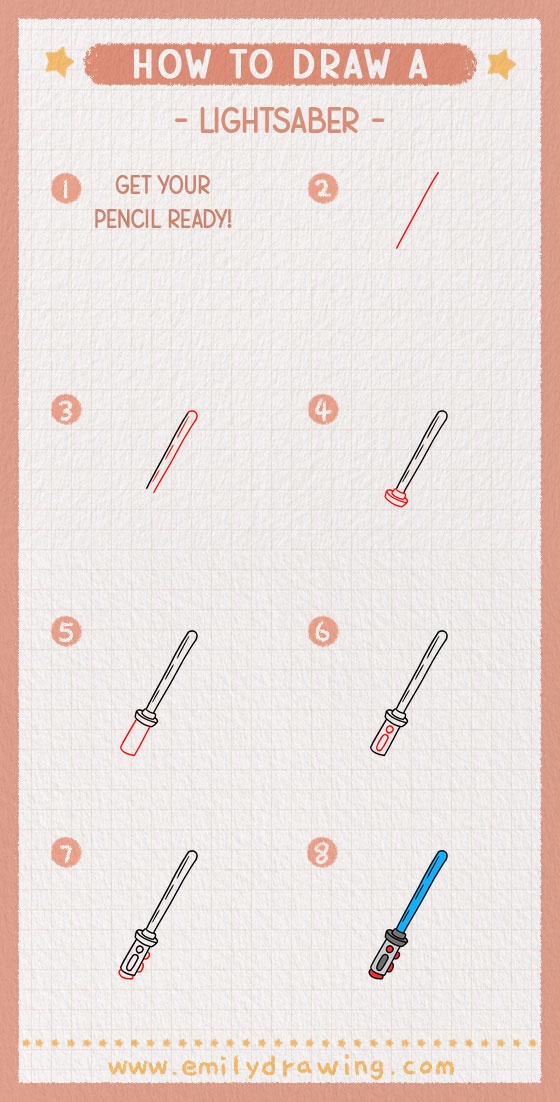
You have now completed a fun step by step drawing of a lightsaber. Trace your final lines neatly, erase any sketch marks, and color the blade bright red for a glowing effect. If you enjoyed this easy drawing tutorial, try drawing more sci-fi objects to build your drawing skills little by little.
Get the FREE Printable Drawing Guide
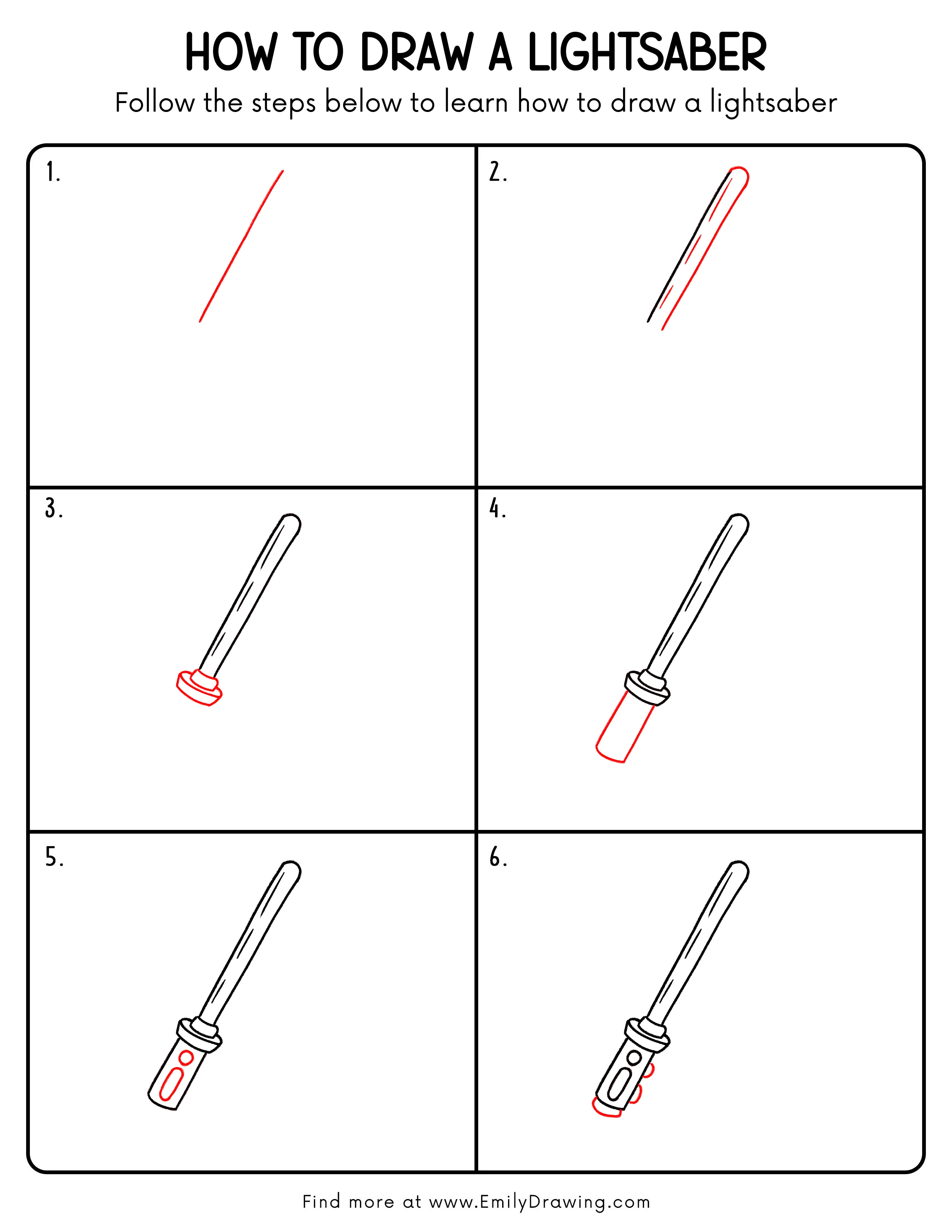
FREE Download Printable Lightsaber Drawing Tutorial
Frequently Asked Questions
Is this lightsaber drawing good for beginners?
Yes, this drawing for beginners uses simple shapes and easy line work. Each step is small and clear, so it is easy to follow.
Can I change the blade color?
Absolutely. You can color the blade red, blue, green, purple, or any color you like.
How can I make my lightsaber look straighter?
Start with a light guide line and draw slowly. Keeping the two blade edges parallel will help your lightsaber look clean and even.